
That bank account opened years ago probably costs more than you realize. Switching banks keeps sliding to next month’s to-do list.
I get the hesitation. Direct debits, payroll setup, subscriptions tied to old card numbers: it all feels tangled and fragile.
This guide breaks the bank-switching process into small steps so nothing slips through and no payment goes missing.
Why Switching Banks Feels Harder Than It Needs To
The main reason people stick with a bad bank has nothing to do with loyalty. It has everything to do with the mental image of re-entering card numbers into 15 different apps.
That image is worse than the task. A bank switch in 2026 takes a few focused hours spread over a couple of weeks. The logistics are boring, and boring is good here.
Old banks count on this friction. Every month a customer stays out of inertia, that’s another $8 or $12 in monthly maintenance fees collected without earning it. Multiply that by a year and the cost of doing nothing gets specific fast.
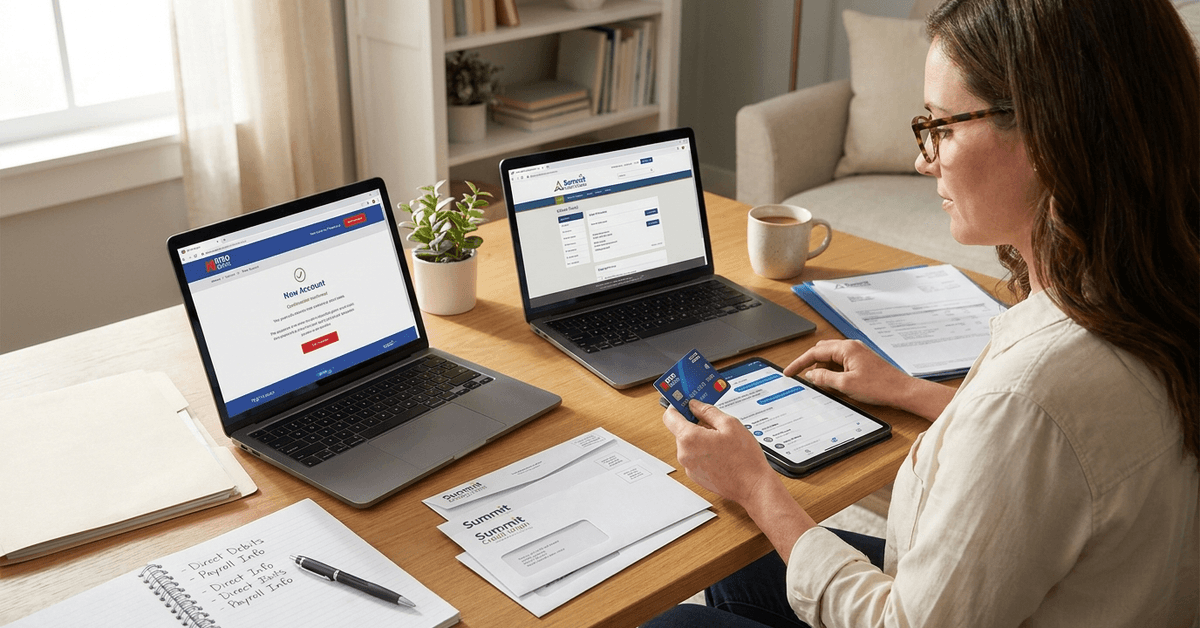
How to Pick a New Bank Worth the Hassle
The bank you switch to matters less than the mechanics of switching. But it still matters. The trick is knowing what to compare beyond the interest rate plastered on the homepage.
Fees and Features That Separate Banks
Savings rates get all the attention, but monthly account fees and overdraft charges drain more money over time for the average checking account holder.
A $0 monthly fee account at a slightly lower rate often beats a higher-rate account that charges $10 a month just to exist. Mobile app quality is another separator. Some banking apps crash during peak hours or take 48 hours to reflect transactions.
Others push real-time notifications for every charge. If digital banking is how you’ll interact with your money 95% of the time, the app experience should weigh as heavily as the rate.
Introductory Bonuses vs. Long-Term Fee Structures
Cash bonuses of $200 or $300 for opening a new account pop up frequently. They’re tempting. But the terms often require a minimum direct deposit amount or a set number of debit transactions per month.
Read the fine print on the timeline: some bonuses take 90 days to post and vanish if conditions aren’t met within that window. I think the smarter move is comparing long-term fee structures at banks like Ally or Capital One 360 rather than chasing a one-time signup bonus.
The $300 welcome offer loses its shine when the account starts charging $15 a month after the promotional period ends.
The Step-by-Step Bank Switching Process
The order of operations matters more than speed. Rushing creates the exact problems people fear: a missed rent payment, a subscription that cancels itself, a paycheck that bounces between two accounts. Slow and sequential beats fast and sloppy every time.
Open the New Account Before Closing Anything
Do not close the old account before the new one is fully functional. Apply for the new bank account, get approved, deposit a small amount, set up online banking, and confirm the mobile app loads properly.
That first login, where everything works and the account number is visible, is the green light to start moving things. Some banks complete the application online in minutes. Others, especially credit unions or regional banks, may need an in-branch visit for identity verification.
Digital-only banks like Chime handle everything through their app. Plan for a day or two of processing either way.
Move Direct Debits and Subscriptions One by One
This step takes the longest and deserves the most attention. Go through recent bank statements covering at least three months and list every recurring charge. Then update each one individually with the new bank details.
I would skip the bank’s automated switching service and update each direct debit manually. Automated services transfer what they can find, but subscription payments tied to a debit card number (not an account number) often fall through the cracks.
These are the payment types to check off when switching banks:
- Rent or mortgage auto-payments (contact the landlord or loan servicer directly)
- Utility bills like electric, gas, water, internet, and phone
- Streaming and app subscriptions tied to an old debit card
- Insurance premiums for health, auto, renter’s, or life policies
- Loan repayments for student loans, personal loans, or car financing
Miss one of these, and the old account (now empty or closed) rejects the charge. That rejection can snowball into late fees and cancelled coverage.
Update Payroll and Freelance Payment Info
Payroll should be the last thing to move. Keep wages flowing into the old account until every outgoing payment has been transferred to the new one.
Once all debits are pulling from the new account successfully, submit updated direct deposit information through the employee portal or HR department.
A quick way to confirm: update the details, then check two pay cycles later to make sure the deposit lands. Freelancers using platforms like PayPal or Stripe should update their linked bank details on those platforms too.
How Long to Keep Both Bank Accounts Open
A lot of switching guides suggest running both accounts for “a few weeks.” I think that window is too short if you pay any bills on a monthly or quarterly cycle.
Annual subscriptions, quarterly insurance premiums, and yearly renewals don’t show up in a two-week monitoring window. A payment that hits once every 90 days can easily slip past a short overlap period.
What to Monitor During the Overlap Period
Run both accounts side by side. Log into both apps regularly and watch for these specific signals:
- Failed transaction alerts on the old account (these mean something didn’t transfer)
- Refunds or reimbursements still pointed at the old bank details
- Annual charges that won’t appear until months after the switch
- Government payments or tax refunds that reference old routing and account numbers
A simple spreadsheet tracking every recurring transaction, its status (moved or pending), and its next billing date prevents expensive surprises. This one step alone saves more headaches than any automated switching tool.
When to Close the Old Account
Close the old account only after at least one full billing cycle has passed with zero activity on it. That means no charges, no deposits, and no pending transactions.
Call the old bank or visit a branch to confirm the closure, and ask for written confirmation. Some banks charge an early account closure fee if the account is less than 90 or 180 days old.
Older accounts rarely have this problem, but the terms are worth checking on the Consumer Financial Protection Bureau website before initiating a closure.
Protecting Personal Information During a Bank Switch
A bank switch means sharing sensitive details with new systems at a higher frequency than normal. Account numbers, routing numbers, and personal identification go to billers, employers, and payment platforms all within a few weeks.
Set up two-factor authentication on the new account immediately. Enable spending alerts and login notifications.
These take two minutes to configure, and the CFPB’s guide to protecting financial accounts has a straightforward checklist for anyone who wants to be thorough.
Something I rarely see mentioned in switching guides: change the password on your old bank’s app and website after closing the account.
Questions People Ask About Switching Banks
These questions keep coming up when people start researching a bank switch. The answers add a few details the sections above don’t fully cover.
- Q: Can a bank charge me for closing my account?
Some banks charge an early closure fee if the account has been open for less than 90 or 180 days. Accounts older than a year rarely trigger this. Call customer service or check the fee schedule on the bank’s website before starting the process. - Q: How long does it take to switch banks completely?
The new account usually opens within one or two days. The full transition, including moving direct debits and confirming payroll, takes three to six weeks depending on how many recurring payments need updating. Quarterly and annual payments may extend that timeline. - Q: Do I need to visit a branch to switch banks?
Almost all large banks allow full account opening online. Some credit unions or smaller regional banks may need an in-person visit for identity verification. Digital-only banks handle everything through an app. - Q: What happens if a payment hits my old closed account?
The payment typically bounces back to the sender. Contact the sender immediately to update the bank details, and reach out to the old bank to ask about any grace period for redirecting or flagging incoming transfers. - Q: Is it risky to switch banks if I only have minor complaints?
Minor complaints compound. A $5 monthly fee over ten years is $600 before accounting for what that money could earn elsewhere. Slow app response times and long customer service wait times hit differently when you need help during an emergency.
Conclusion
Switching banks sounds harder than it turns out to be once the first direct debit moves successfully. The mental block dissolves the moment a new account opens and the mobile app loads without issues.
Patience spread over a few weeks of parallel accounts catches every missed payment before it turns expensive. The best day to start this whole switch was probably last year, but right now works fine.